There’s a default assumption in consumer electronics that when something stops performing the way it used to, the right move is to replace it. Laptops have gotten cheaper, and the argument for upgrading rather than repairing is easy to make when you’re looking at a machine that’s three or four years old and showing its age.
Fujitsu laptops are one of the exceptions where that calculation often goes the other way. Having watched a number of people make this decision over the years, the ones who replaced their Fujitsu with a cheaper Windows laptop because the battery was dying frequently came back to say they missed it. Build quality, keyboard feel, display quality, and thermal behavior in business-grade Fujitsu machines are difficult to replicate at the price point most people replace into. The machine that feels slow or untethered at year four is often the same machine that runs as well as it ever did once the actual problem is fixed.
What Goes Wrong First in an Aging Fujitsu Laptop
Laptop components age at different rates. The processor, SSD, memory, and display typically outlast the useful life of the machine by a wide margin. They don’t wear out under normal use. The components that do age are the battery, the cooling system (fan accumulates dust, thermal paste dries out), and occasionally the charging port.
Of these, the battery is the most predictable failure. Lithium-ion cells lose capacity with each charge cycle, and the rate of that loss accelerates over time. A Fujitsu laptop that came with a 50Wh battery rating may be operating at 25Wh capacity after three to four years of regular use — half the original runtime, which means half the working session between plugs. The laptop itself hasn’t slowed down, but the battery’s inability to hold charge makes it feel like a dying machine rather than a healthy one limited by a single worn component.
The experience this produces is familiar: a machine that used to last through a meeting or a train commute now needs to be plugged in by the halfway point. Notifications about low battery start earlier and earlier. Eventually the machine starts shutting off unexpectedly at what the charge indicator says is still 20 or 30 percent — a symptom of lithium cells that can no longer deliver consistent current at lower states of charge.
Why Fujitsu Build Quality Changes the Math
Most laptop repair economics are unfavorable. If a laptop cost ¥60,000 new and a repair costs ¥20,000, you’re spending a third of the original price on a machine that’s already depreciated. For a machine with mediocre build quality or a design that wasn’t particularly good to begin with, that math often doesn’t work.
Fujitsu business laptops — the LIFEBOOK series especially — occupy a different category. The magnesium alloy chassis on models like the U series and the A series is built to last well beyond the battery’s natural lifespan. The keyboard quality on these machines is notably better than most consumer-grade Windows laptops, and it doesn’t degrade meaningfully with age. The display panels Fujitsu uses in their business line hold up well.
The practical consequence is that a five-year-old LIFEBOOK in good physical condition, once the battery is replaced, offers a working experience that’s competitive with a new entry-level Windows laptop and superior to it in several ways. The replacement cost doesn’t have to justify itself against the machine’s original price — it justifies itself against the cost of finding something comparable in a new purchase, which is harder and more expensive than it looks.
What a Battery Replacement Actually Changes
The improvement from replacing a degraded battery is more significant than most people expect before they do it. It’s not just longer runtime — though that’s the obvious benefit.
A laptop running on a degraded battery often operates in a power management mode that throttles processor performance to extend the reduced capacity it has. Once a new battery is installed and the system recognizes it has full capacity available, the thermal and power management profiles normalize. Machines that felt sluggish on battery often run noticeably faster after replacement, not because anything in the processor changed, but because the system stopped compensating for a battery that couldn’t deliver full load power.
The sudden-shutoff problem disappears entirely with a new battery. The machine goes back to providing accurate charge estimates and giving proper low-battery warnings before shutting down. For anyone who’s lost work to an unexpected shutdown, this alone is worth the cost of the replacement.
Finding the Right Battery for Your Fujitsu Model
Fujitsu laptop batteries are specific to model generations and sometimes to individual models within a series. The LIFEBOOK U series, A series, E series, and S series all use different battery formats, and within each series the battery may have changed across production years.
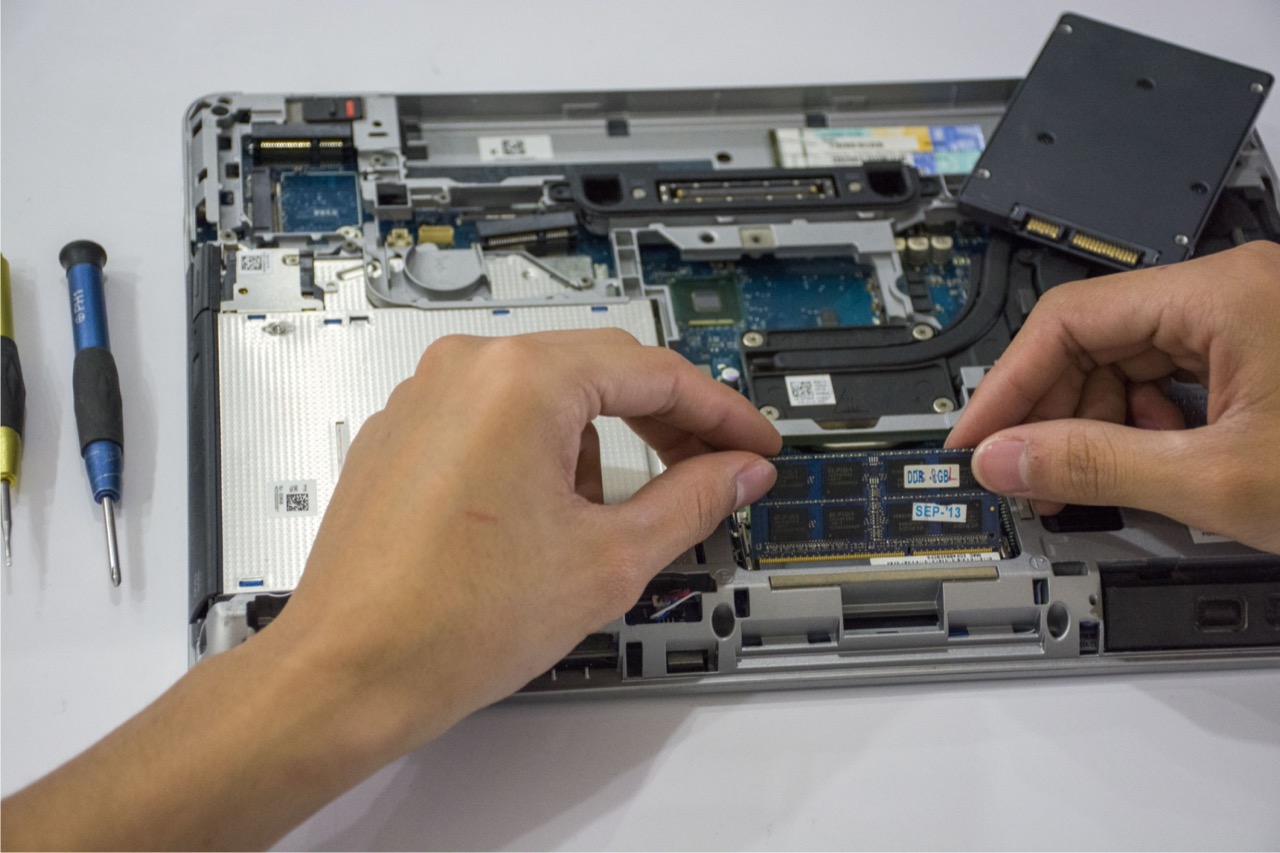
The most reliable way to identify the correct replacement is the battery part number printed on the original battery itself, which requires opening the laptop or in some cases can be found in the system documentation. The model number on the bottom of the laptop is the second-best identifier — a battery supplier with good model compatibility data can cross-reference it to the right part.
For the range of 富士通ノートパソコンバッテリー compatible with different LIFEBOOK models, checking compatibility by model number before ordering is the step that prevents the wrong part arriving. The physical and electrical specifications need to match the original — capacity can be equal to or higher than the original, but voltage must match exactly.
The Case for Keeping It Another Three Years
A Fujitsu business laptop that’s been well-maintained mechanically — no physical damage, good thermal performance after cleaning, SSD still healthy — and receives a battery replacement is realistically usable for another three to four years from the point of the repair. On a machine that may have cost ¥120,000 to ¥180,000 new, extending that useful life with a battery replacement costing a fraction of that is straightforward economics.
The alternative — replacing with a lower-spec consumer Windows machine to stay in the same price range — typically produces a worse working experience. The keyboard is worse, the chassis flexes more, the display quality is lower, and the build tolerances show within the first year of use. People who’ve made that trade and then gone back to using a LIFEBOOK often describe the experience gap as larger than they expected.
The battery is the one component in these machines that doesn’t match the durability of everything around it. It was designed to be replaced, even if that’s not how most people think about it. For a well-built laptop from a manufacturer that took build quality seriously, the repair investment pays off in a way it often doesn’t for machines that weren’t built to last in the first place.